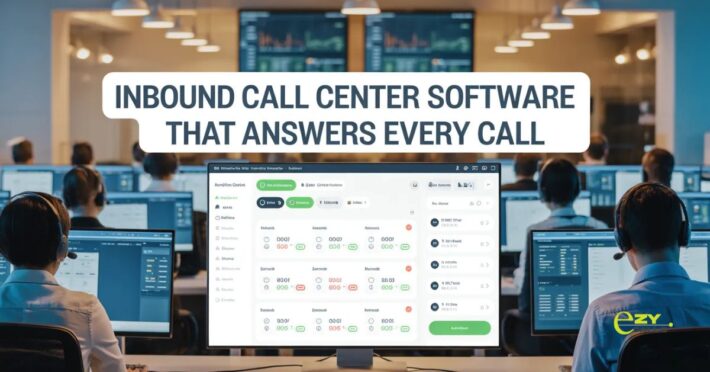
Call Center Software Your Team Will Want to Use

Managing calls with basic phone systems is a mess. Calls drop randomly, notes get lost, nobody knows what’s going on. Call center software fixed how customer service works, and teams using it can’t believe they dealt with old systems for so long.
Plenty of small centers still run on regular phones and spreadsheets. Someone picks up calls, scribbles notes somewhere, tells whoever needs to know. Fine when you’re three people. Get bigger? Everything breaks.
What This Software Does
- Regular phone setups just connect calls to people. The customer rings in, somebody answers, they talk, the call ends. Maybe notes happen. Tracking stuff means doing extra work.
- Call center software puts everything together. Routes calls smart, saves recordings, counts metrics by itself, keeps customer info, handles who works when. Connected instead of spread across random tools.
- Stops you from using five different things to figure out what happened.
Why Centers Need This
- Routing works better. Software puts customers with the right person based on their problem, not whoever answered first. Tech issue? The tech team gets it. Billing stuff? Goes to billing.
- Customer background pops up right away. The agent sees old conversations, what they bought, current problems. Nobody asks customers to explain everything again.
- Tracking happens without effort. How many calls people take, how long they run, what gets solved. Numbers you need without counting manually.
- Quality stays steady. Recording calls means checking how people handle things. Spot training gaps before they get bad.
- Waiting drops. Software handles lines better, tells people how long they’ll wait, lets them get callbacks instead of holding forever.
- Reports take seconds. Busiest times? Peak days? Common problems? Generate reports instantly instead of spending hours.
Where It Helps
- Support teams answer faster. Information right there means solving things quicker. Less hunting around, more helping.
- Sales tracks leads without losing them. Who called, what they needed, when to call back. Nothing disappears.
- Tech support links tickets with calls. Customer calls about something? Tickets get made automatically. Everything documented without typing twice.
- Businesses doing appointments schedule easier. Dentists, repair shops, consultants. Book stuff during calls without checking other calendars.
- Companies with multiple spots stay connected. The main office watches all locations. Move calls between places smoothly.
What Software Needs
- Handling calls easily. Moving calls around, putting people on hold, adding others, gotta be simple. Hard controls make agents slow.
- Dashboards that make sense. Supervisors need quick looks at who’s free, who’s talking, how backed up lines are. See it fast.
- Work with stuff you have. Customer database, help system, email. When things connect, info moves without retyping everything.
- Calls sound good. Fancy features mean nothing if calls sound awful or drop constantly. Working right comes first.
- Mobile works too. Agents at home or different places need everything. Only working on computers doesn’t work now.
- Adjusts to your way. Different businesses handle calls in different ways. Software bends to how you work, not makes you change everything.
Industries Using This
- Stores handle orders and sending stuff back. Check purchases, do refunds, answer questions. Customer stuff all in one spot.
- Medical offices schedule visits and answer questions. When can people come? What insurance works? Book appointments while talking.
- Money companies handle accounts and help. Check balances, report fraud, change accounts. Security and records matter here.
- Travel books trips. Change flights, book hotels, cancel stuff. Often dealing with multiple things in one call.
- Property people coordinate showings. Schedule tours, answer questions, follow up with people interested.
Problems It Fixes
- Info stops vanishing. Everything recorded and saved automatically. New person taking over? Knows what happened before.
- Responsibility gets clear. Recording calls and watching numbers means knowing what’s happening. No wondering who did what.
- Training goes faster. New people learn from recorded calls showing good examples and mistakes. Get up to speed quicker.
- Customers get less annoyed. Right routing first time, agents know their history, less waiting. Better for everyone.
- Growing becomes doable. More calls without equal chaos. What worked for ten people still works for fifty.
Starting Out
- Find your worst problem first. Long waits? Bad routing? Lost info? Get software fixing that well.
- Skip overthinking features. Need basics solid more than fancy extras. Answer calls reliably, track talks, simple reports. Begin there.
- Test with trials. Use it on real calls with real customers. See if work gets easier or just more complicated.
- Train people right. It only helps if they know how to use it. Spend time teaching your team.
- Go small if you can. Maybe one team or location first. Learn what works before doing everywhere.
- Ask agents constantly. They use it all day. They’ll say what helps and what sucks. Listen.
What Ezy Calls Does
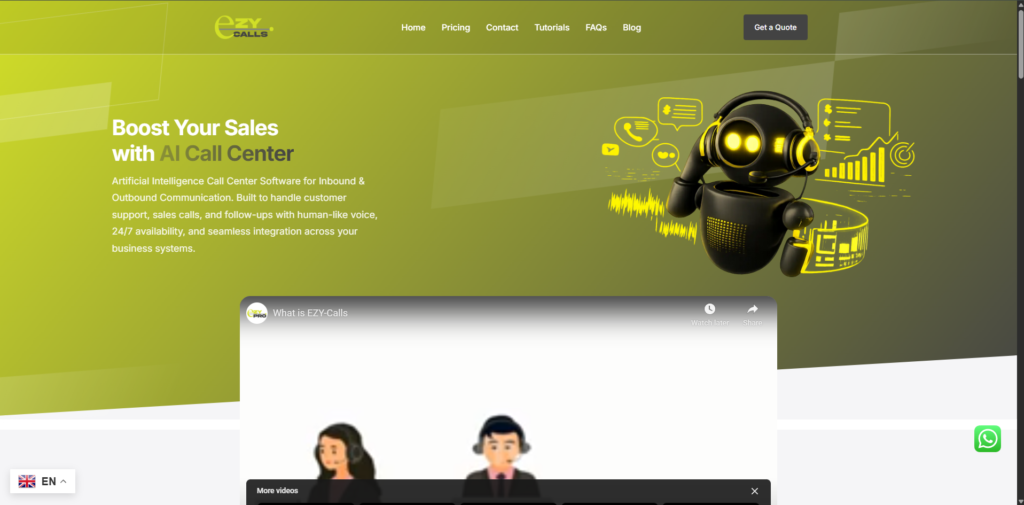
- Tools like Ezy Calls make call center software for teams needing reliability without confusion. Focus on daily work instead of stuffing in every feature possible.
- What makes Ezy Calls work? Made for real customer service jobs. Clean look, solid call handling, useful stuff. Ditch the extra junk, give what teams need.
- For companies wanting professional call abilities without giant budgets, platforms like this fit. Better service without tearing everything apart.
- Call center software isn’t fancy tech just to have fancy tech. It’s making customer service better for everybody. Good software helps agents work well and helps customers get help easy.
- Calls happen faster. Info sticks around. Teams work together better. Customers leave happy. That’s what matters.
Questions People Ask
What does decent software really cost?
- All over the place honestly. Basic stuff might be $20-50 monthly per person. More bells and whistles or bigger setups cost more. Usually cheaper than expected though. Think about what bad customer service costs you in lost business. Also time saved not juggling five tools. Most places make their money back fast.
Can tiny teams use this or just big centers?
- Tiny teams benefit big time. Three people answering calls see huge improvements. Better organized, calls recorded for learning, basic numbers to get better. Don’t need hundreds of people. Smaller versions exist for small operations without paying for stuff you won’t touch.
What if the internet craps out?
- Good point. Cloud stuff needs the internet, yeah. Better companies have backup systems so outages barely happen. Some do hybrid setups with local backup. Many have phone apps too so agents use phone data if the office internet dies. Ask about uptime promises and backup options before signing up.