Inbound Call Center Software That Answers Every Call
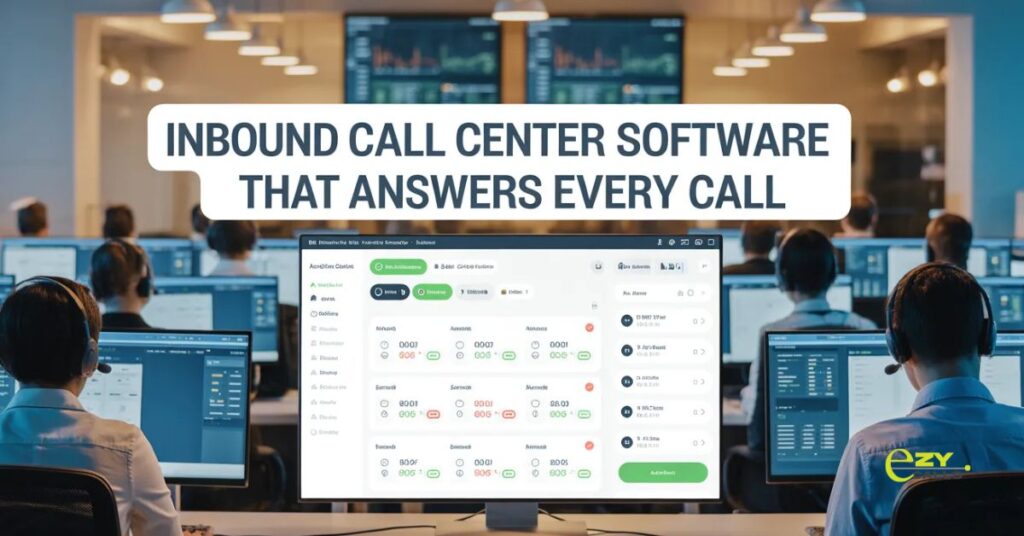
Missing customer calls means losing business directly. Every unanswered ring is potential revenue walking away. Inbound call center software ensures calls get answered promptly and routed correctly, and companies using it stop losing opportunities to competitors who simply picked up the phone.
Most businesses underestimate how many calls they miss during busy periods. Customers don’t leave voicemails anymore, they just call the next company on Google.
The Inbound Challenge
- Customers calling you already showed interest. Found your number, took time to dial, want something you offer. Warm leads versus cold outreach.
- Inbound call center software maximizes conversion of interested callers. Every call answered, routed appropriately, handled professionally. Capitalize on customers reaching out instead of wasting those opportunities.
- Difference between hoping phones get answered versus ensuring they do change revenue significantly.
Why Inbound Operations Need This
- Call overflow gets managed automatically. Is everyone busy? Queue holds callers with position updates instead of busy signals driving them elsewhere.
- Skills-based routing connects callers with the right expertise. Technical questions go to the tech team, sales inquiries hit sales. First-time resolution improves dramatically.
- Caller information displays immediately. See who’s calling, previous interactions, account status. Context before saying hello improves service quality.
- Wait time visibility prevents abandonment. Customers knowing the expected wait stay longer. Uncertainty causes hang-ups more than actual time.
- Call-back options reduce frustration. Rather than holding, schedule a return call. Customers appreciate flexibility over forced waiting.
- Peak period handling without chaos. Software manages volume surges. Holiday rushes or promotional spikes handled systematically not reactively.
Essential Inbound Features
- Intelligent call routing based on criteria. Time of day, caller ID, menu selections, agent skills. Right person handling each call type.
- Queue management prevents abandonments. Position announcements, estimated wait times, call-back offers. Keep customers engaged instead of hanging up.
- IVR for initial sorting. Self-service options for simple requests, routing for complex needs. Efficiency without forcing automation on everyone.
- Call recording for quality and training. Review difficult calls, train new agents, resolve disputes. Documentation protecting business and improving service.
- Real-time dashboards showing queue status. Supervisors see bottlenecks forming. Adjust staffing or routing before problems escalate.
- CRM integration displaying customer data. Previous purchases, open issues, communication history. Informed conversations from the first moment.
Different Inbound Operations
- Customer support handling product questions. Technical assistance, troubleshooting, warranty issues. Knowledge workers needing information at fingertips.
- Sales teams converting inquiries to customers. Inbound leads from marketing, website inquiries, referrals. Capitalize on warm prospects efficiently.
- Order taking and processing. E-commerce phone orders, catalog sales, B2B purchasing. Accurate efficient transaction handling.
- Appointment scheduling for services. Medical offices, salons, repair services. Calendar management integrated with phones.
- Help desk supporting internal employees. IT support, HR inquiries, facilities requests. Internal service delivery requires the same professionalism.
Making Inbound Work Right
- Answer speed targets matching expectations. Different industries have different standards. Know what customers in your field expect.
- Routing rules reflecting business priorities. VIP customers, high-value prospects, urgent issues. Prioritization ensures important calls get attention.
- Self-service options for appropriate scenarios. Account balance, order status, appointment changes. Automation where customers prefer it.
- Easy escalation when needed. Customers stuck in IVR reach humans quickly. Frustration from inability to get help destroys satisfaction.
- After-hours handling strategy. Voicemail, answering service, limited staff. Clear plan for calls outside business hours.
- Regular review of routing effectiveness. Are calls reaching the right people? Resolution happening efficiently? Adjust based on actual performance.
Common Inbound Mistakes
- Forcing everyone through endless menus. IVR maze frustrating customers before they reach humans. Simple routing beats elaborate trees.
- Understaffing during known busy periods. Historical data shows peak times but staffing doesn’t match. Preventable queues from poor planning.
- No call-back option when waits get long. Holding forever is the only option. Customers abandon rather than waste time.
- Routing based on availability not expertise. Whoever’s free gets called regardless of knowledge. Wrong person answering extends resolution time.
- Ignoring abandoned call data. Calls that hang up show problems but get overlooked. Abandonment rate reveals queue management issues.
- Generic greetings lacking personalization. Every caller gets identical treatment. Simple recognition improves experience significantly.
Metrics That Matter
- Service level hitting targets. Percentage answered within threshold time. Industry standard is often 80% within 20 seconds.
- Average speed of answer. How long until humans pick up. Faster is generally better but context matters.
- Abandonment rate tracking losses. Calls hanging up before reaching the agent. High abandonment means losing opportunities.
- First call resolution. Issue solved in one call versus requiring callbacks. Efficiency and customer satisfaction metric.
- Average handle time balancing speed and quality. Calls too long waste capacity, too short sacrifice thoroughness. Finding the right balance for your operation.
- Customer satisfaction post-call. How people rate their experience. Ultimate measure of service quality.
Technology Integration Needs
- CRM showing customer context. Purchase history, previous issues, account details. Informed service from conversation start.
- Help desk ticketing for issue tracking. Create tickets during calls, update status, document resolution. Continuity across interactions.
- Payment processing for transactions. Take orders securely over the phone. PCI compliance for card information.
- Calendar integration for appointments. Check availability, book slots, send confirmations. Scheduling without separate systems.
- Knowledge base for agent assistance. Quick access to product info, policies, procedures. Answers at fingertips during calls.
EZYCALLS For Inbound
- Platforms like Ezy Calls design specifically for inbound call management. Features focused on answering, routing, managing incoming volume effectively.
- What makes Ezy Calls practical? Intelligent routing, queue management, easy CRM integration. Built understanding inbound operations need maximizing every caller opportunity not just handling volume.
- For businesses where inbound calls drive revenue, solutions like this protect opportunities. Professional call handling ensures customers reach the right help quickly.
- Inbound call center software succeeds by converting interested callers into satisfied customers. Good software ensures calls get answered and handled well. Bad software loses opportunities to inadequate routing or poor queue management.
- Better inbound operations mean more sales, happier customers, maximized marketing ROI. Every answered call handled well pays for the system.
Questions About Inbound Software
How many calls can we handle before needing real call center software?
- When missing calls during busy times or customers complaining about waits. Usually happens around 50-100 calls daily depending on duration and timing patterns.
What’s acceptable wait time before customers hang up?
- Industry dependent but generally 2-3 minutes maximum for most businesses. B2B might tolerate longer, consumer retail less. Track your abandonment rate and find your threshold.
Should we use IVR or direct to agents?
- Depends on call types and volume. Simple sorting (“press 1 for sales”) helps. Complex menu trees frustrate everyone. Start simple, add only if genuinely needed.