Call Center Software for Small Business Without Enterprise Headaches

Small businesses need professional customer service tools but can’t afford enterprise complexity or pricing. Regular phone systems feel amateur, big call center platforms overwhelmed with features nobody uses. Call center software for small business bridges that gap between basic phones and enterprise overkill, and companies making the switch finally handle growth without service quality tanking.
Most small operations limp along with inadequate tools. Personal cell phones, basic phone systems, notes in spreadsheets. Works okay with three customers daily. Twenty customers? Everything breaks down fast.
The Small Business Challenge
- Enterprise call center software assumes dedicated IT staff, training departments, implementation consultants. Small businesses have owners wearing ten hats hoping technology just works.
- Budget constraints are real. Can’t spend thousands monthly on tools. Need affordable solutions delivering professional capabilities without enterprise price tags.
- Simplicity matters more than features. Rather have five capabilities working greater than fifty features nobody understands. Complexity kills adoption when the team is small.
- Call center software for small businesses succeeds by scaling appropriately. Professional enough for growth, simple enough for actual use, priced for realistic budgets.
What Small Teams Actually Need
- Call routing makes sense. Route customers to the right person based on their needs. Don’t need complex algorithms, just intelligent basics.
- Customer information at fingertips. See who’s calling, previous conversations, open issues. Context before saying hello makes a huge difference.
- Call recording for training and protection. Review difficult calls, train new people, have documentation when needed. Essential capability, doesn’t need fancy features.
- Basic reporting showing performance. How many calls, wait times, resolution rates. Enough data for decisions without an analyst degree required.
- Easy setup without technical expertise. Plug in and start using within hours not months. Small businesses can’t afford lengthy implementations.
- Mobile functionality for remote teams. People working from home or multiple locations. Cloud-based accessibility instead of office-only systems.
Where Small Businesses Struggle
- Scaling support with growth. Three agents handling calls fine. Ten agents? Need a real system coordinating everyone.
- Maintaining quality during busy periods. Manual methods work when slow. Rush hours expose inadequacies fast.
- Looking professional to customers. Transferred calls going nowhere, agents without information, long waits. Amateurish service costs business.
- Training new people efficiently. High turnover in support roles. Need onboarding new agents fast without quality suffering.
- Remote work becoming standard. Pandemic proved distributed teams work. Need tools supporting people working anywhere.
- Competing with bigger companies. Large competitors have sophisticated systems. The level playing field requires professional tools scaled appropriately.
Features Sized Right
- Smart call distribution. Round-robin, skills-based, priority routing. Nothing fancy, just functional basics preventing bottlenecks.
- Unified customer view. See relevant info without switching programs. CRM integration showing purchase history, previous issues, account details.
- Queue management prevents abandonment. Hold music, position announcements, callback options. Keep customers informed instead of wondering.
- Voicemail to email for flexibility. Miss a call? Get a message transcribed to email. Handle asynchronously when appropriate.
- Basic IVR for simple routing. Press one for sales, two for support. Nothing elaborate, just initial sorting reducing transfers.
- Team collaboration features. Internal chat, call conferencing, warm transfers. Agents helping each other without customers hanging.
Avoiding Common Mistakes
- Buying enterprise features you won’t use. Paying for capabilities targeted at hundred-agent centers. Waste money on complexity adding no value.
- Choosing the cheapest option available. Rock bottom pricing usually means terrible support or missing critical features. Balance cost with functionality.
- Ignoring mobile requirements. Assuming everyone works from the office. Remote capability isn’t optional anymore.
- Skipping trial periods. Committing without testing. Always use trials with real calls and real teams.
- Underestimating training needs. Assuming software is intuitive enough without training. Invest time teaching properly for adoption success.
- Forgetting about growth. Today’s needs versus next year’s. Systems working for three agents should handle ten without replacement.
Implementation Reality
- The first week feels overwhelming. New system, learning curve, different workflow. Normal adjustment period, not indication of failure.
- Agent resistance happens sometimes. Change is hard, the old way familiar. Show benefits clearly and involve the team in selection.
- Integration takes patience. Connecting with existing tools rarely plug-and-play. Budget time for getting systems talking properly.
- Support quality matters tremendously. Getting stuck without help kills small business productivity. Responsive vendors support non-negotiable.
- Cost creeps with usage. Per-agent pricing scales. Understand total cost as the team grows, not just starting price.
- ROI shows up gradually. Better customer service prevents losses and enables growth. Results accumulate over time not overnight.
Budget Considerations
- Calculate current cost of poor service. Lost customers, wasted time, missed opportunities. That baseline software must improve against.
- Consider subscription versus purchase. Monthly payments spread cost, includes updates and support. Large upfront purchases seem cheaper but hides ongoing costs.
- Account for implementation time. Hours spent setting up, training, adjusting. Team time has value even if software is cheap.
- Plan for scaling costs. As you add agents, what happens to pricing? Understand cost trajectory with growth.
- Compare total cost of ownership. Cheap software plus expensive support calls versus higher base price with included support.
- Measure actual impact after adoption. Track metrics proving ROI. Customer satisfaction, handling capacity, agent productivity improvements.
EZY CALL For Growing Teams
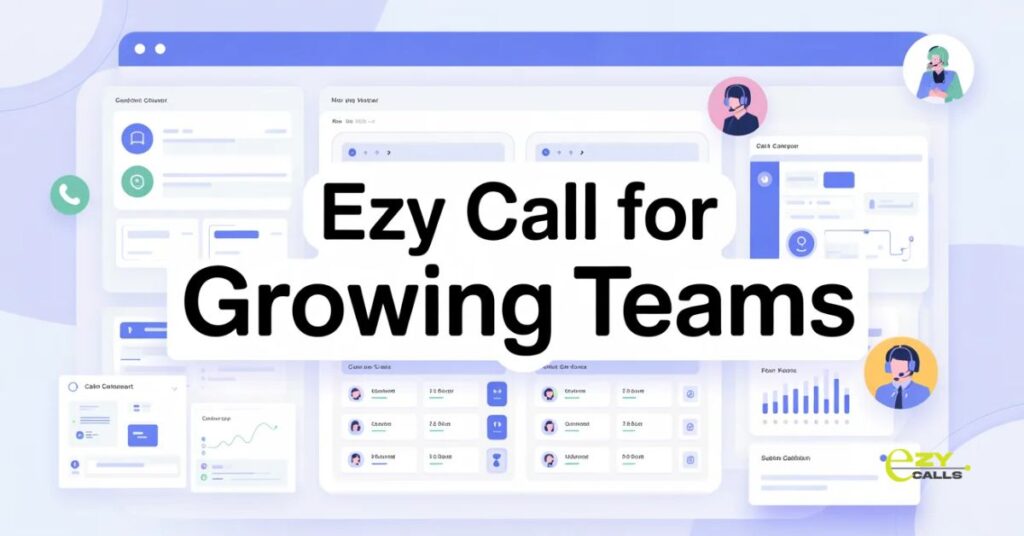
- Platforms like Ezy Calls target small businesses specifically. Not scaled-down enterprise systems. Built from ground up for small team needs and constraints.
- What makes Ezy Calls appropriate? Professional features without complexity. Affordable pricing for small budgets. Quick setup without IT requirements. Support that actually helps small businesses.
- For companies needing call center capabilities scaled to reality, solutions like this fit. Grow from basic phones to professional systems without enterprise complexity.
- Call center software for small business works when it matches actual needs and capabilities. Good software feels like a natural upgrade enabling growth. Bad software either overwhelms with complexity or underwhelms with missing basics.
- Better customer service comes from appropriate tools used well. Professional capabilities don’t require enterprise resources when software is designed for small business reality.
Small Business Questions
How do I know we’re big enough to justify call center software?
- Watch for these signs, customers complaining about wait times or getting transferred around, agents stressed during busy periods, missing calls because everyone’s occupied, wanting to track performance but having no data. If you’re asking the question, probably feeling enough pain that software helps. Rule of thumb, three or more people handling calls regularly, benefit becomes clear. Solo operation answering occasional calls? Probably not worth it yet. But growth happens fast, better slightly early than desperately late.
What happens if we outgrow the software in a year?
- Better problem than being stuck with an enterprise system you’ll never grow into. Look for solutions offering upgrade paths. Start with the basic package, add capabilities as needed. Most good small business software scales reasonably well. Might eventually need switching to a bigger platform but that’s years away not months. Cross that bridge when you get there. Don’t overpay today for theoretical future needs that might not materialize. Right-sized now beats over-provisioned hoping to grow into it.
Can we really compete with big companies using basic software?
- Customers care about service quality not system sophistication. Small business with simple software handling calls well beats large companies with fancy systems providing terrible service. Your advantage is agility and attention. Software just needs supporting those strengths, not matching enterprise capabilities. Focus on what matters, fast answers, knowledgeable help, genuine care. Appropriate tools enable that without requiring enterprise budgets. Don’t try matching big companies feature-for-feature, beat them on actual customer experience