Healthcare Call Center Software Meeting Medical Standards

Healthcare call centers can’t operate like retail support. Patient information requires protection, regulations demand compliance, mistakes affect health outcomes. Healthcare call center software needs to handle medical communications properly, and providers using specialized tools finally stop worrying about HIPAA violations while improving patient experience.
Most healthcare offices still use basic phone systems never designed for medical environments. No encryption, no audit trails, no compliance features. Works until an audit happens or breach occurs.
Healthcare-Specific Requirements
- HIPAA compliance isn’t optional. Protected health information discussed on calls needs securing. Regular call center software doesn’t address medical privacy requirements.
- Recording consent and documentation. Medical conversations need proper consent, storage, access controls. Can’t treat patient calls like sales inquiries.
- Audit trails for accountability. Who accessed what patient information when. Compliance officers need this data, basic systems don’t track it.
- Healthcare call center software builds compliance into foundation. Not added features, core design addressing regulatory requirements healthcare faces.
- Security matters more than convenience. Rather secure and slightly slower than fast but vulnerable.
Why Medical Practices Need This
- Patient privacy protection is a legal requirement. Violations mean massive fines, lawsuits, and reputation damage. Compliance isn’t an optional checkbox.
- Appointment coordination requires context. See patient history, upcoming visits, recent treatments. Schedule appropriately without playing phone tag.
- Medication questions need documentation. What was discussed, advice given, who spoke with the patient. Legal protection requires records.
- Insurance verification and billing. Complex conversations about coverage, costs, authorizations. I need to track all this properly.
- Emergency triage and routing. Life-threatening calls are prioritized immediately. The system must recognize urgency and route accordingly.
- After-hours protocols for urgent issues. Answering services need access to relevant information. On-call providers reached quickly when necessary.
Core Medical Capabilities
- HIPAA-compliant call recording and storage. Encrypted recordings, controlled access, retention policies. Meet regulatory standards automatically.
- Patient verification before discussions. Confirm identity properly before sharing protected information. Security without being burdensome.
- Integration with medical records systems. See relevant patient information during calls. EMR/EHR connectivity showing context agents need.
- Prescription refill workflows. Automated routing to pharmacy or provider. Track requests ensure nothing falls through cracks.
- Appointment scheduling with medical context. See provider specialties, appointment types, patient needs. Schedule appropriately the first time.
- Emergency call identification and escalation. Recognize urgent situations, and route immediately to clinical staff. Patient safety is prioritized automatically.
Different Healthcare Settings
- Medical practices managing patient calls. Appointments, questions, refills, billing. Central communication hub for practice operations.
- Hospitals coordinating complex care. Multiple departments, various specialties, urgent situations. System routing appropriately across organizations.
- Telehealth services conducting remote visits. Video integration, secure communications, documentation. Virtual care requires proper infrastructure.
- Insurance companies processing claims and inquiries. Complex questions, lengthy calls, detailed documentation. Handle high volumes professionally.
- Mental health services providing crisis support. Sensitive conversations, mandatory reporting protocols, emergency routing. Specialized requirements for behavioral health.
- Specialty clinics with unique workflows. Oncology, cardiology, pediatrics, each has specific communication patterns. Software adapting to specialty needs.
Compliance Essentials
- Encryption for data at rest and transit. Patient information is always protected. Not negotiable for healthcare communications.
- Access controls by role. Not everyone needs accessing all patient data. Appropriate permissions prevent unnecessary exposure.
- Automatic session timeouts. Unattended workstations don’t display patient information. Security doesn’t rely on perfect human behavior.
- Audit logging of all access. Who viewed what when and why. Investigations and compliance reviews need complete trails.
- Business associate agreements with vendors. HIPAA requires contracts with service providers. Software vendors must be compliant partners.
- Regular security assessments and updates. Healthcare threats evolve constantly. Software must stay current with security patches and improvements.
Real-World Challenges
- Staff training on HIPAA and software. Both compliance requirements and system usage. Can’t secure what people don’t understand.
- Balancing security with usability. Too restrictive and people work around controls. Too loose and compliance suffers. Finding the right balance is hard.
- Managing patient expectations. Want convenience but need protecting their privacy. Educating about necessary security measures.
- Integration with legacy systems. Older medical records systems are difficult to connect. Modern software needs working with existing infrastructure.
- After-hours coverage and compliance. Answering services and on-call staff need secure access. Can’t compromise security for convenience.
- Cost justification versus risk. Healthcare budgets are tight but compliance violations are expensive. Investment in proper tools versus potential fines and lawsuits.
Implementation Considerations
- Gap analysis of current compliance. Where are the vulnerabilities? What regulations aren’t meeting? Software must address actual gaps.
- Staff involvement from clinical and administrative. Both perspectives are necessary for a useful system. IT alone can’t design workflow meeting medical needs.
- Phased rollout minimizing disruption. Can’t shut down patient communications for implementation. Gradual transition maintaining operations during change.
- Comprehensive training beyond just software. HIPAA requirements, security practices, proper documentation. Education prevents compliance issues.
- Testing emergency scenarios thoroughly. Life-threatening call handling can’t fail. Verify urgent routing works perfectly before going live.
- Ongoing monitoring and improvement. Compliance isn’t a one-time project. Regular reviews catching issues before they become violations.
Beyond Basic Compliance
- Patient satisfaction measurement. Healthcare consumers rate experiences. Quality communications improve satisfaction scores affecting reimbursement.
- Analytics for operational improvement. Call volumes, wait times, resolution rates. Data-driven decisions improving patient access.
- Multilingual support for diverse populations. Medical information in the patient’s language. Cultural competency through proper communication tools.
- Chronic disease management support. Regular check-ins, medication adherence, symptom monitoring. Proactive care via systematic outreach.
- Care coordination across providers. Complex patients seeing multiple specialists. Communication hub coordinating care team.
EZY CALLS In Healthcare
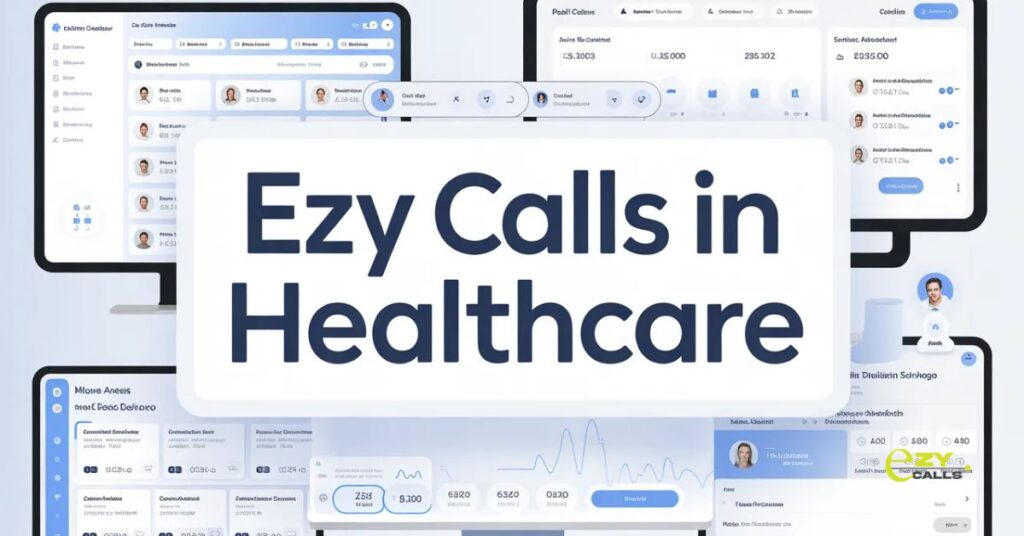
- Platforms like Ezy Calls offer HIPAA-compliant solutions sized for medical practices. Not just enterprise hospital systems. Security and compliance for practices of all sizes.
- What makes Ezy Calls appropriate? Built-in compliance features, medical workflow understanding, affordable for small practices. Healthcare-specific without requiring hospital budgets.
- For providers needing secure patient communications without complexity, solutions like this deliver. Professional medical call capabilities with proper compliance.
- Healthcare call center software succeeds when compliance is seamless and not burdensome. Good software protects patients and providers automatically. Bad software either creates compliance risks or makes work impossible.
- Better patient communication requires appropriate tools respecting medical privacy. Healthcare isn’t retail, software must understand the difference.
Healthcare-Specific Questions
How do we know if software is really HIPAA compliant or just claims to be?
- Ask for documentation honestly. Business Associate Agreement is a must-have, if the vendor won’t sign BAA, not truly compliant. Request security certifications, penetration test results, compliance audits. Check if they serve other healthcare clients, medical practices aren’t testing ground. Also verify specific features, encryption standards, access controls, audit logging. Marketing saying “HIPAA compliant” is easy, proving it with documentation and features is different. Don’t trust claims without evidence. Your compliance responsibility doesn’t end with choosing a vendor claiming compliance.
What happens if we have a breach despite using compliant software?
- Software reduces risk but doesn’t eliminate it completely. Still need proper policies, staff training, and access controls. Breach might result from employee error, phishing attack, or other factors beyond software. Having a compliant system, documented policies, and proper training shows good faith effort. That matters during investigations. Also check the vendor’s incident response capabilities. How quickly do they detect and notify about issues? What support do they provide during breach response? Insurance and indemnification in contracts matter too. Compliance is layers of protection, not a single solution.
Can smaller practices afford healthcare-specific software or is it only for hospitals?
- Pricing varies widely but options exist for all sizes. Some vendors target hospitals only with enterprise pricing. Others scale to small practices with monthly subscriptions. Calculate cost of potential HIPAA violation, single incident could be tens of thousands in fines plus legal costs and reputation damage. That risk management perspective makes appropriate software investment look different. Also consider lost efficiency from inadequate tools. Time wasted on workarounds costs money too. Many practices find right-sized healthcare software pays for itself through better operations even before considering risk reduction.